an33 App for Android: download the APK, then sign in
The an33 app is a single 32 MB Android file, version 2.3.18. It runs on Android 8.0 and newer, costs nothing to download, and opens on the account you already use on the website. Tap below, allow the install once, and the lobby sits on your home screen.
Reading this on a laptop? Scan the QR code further down, or open this page on the phone you want to install on. The file is 32 MB, so Wi-Fi saves your mobile data.
18+ · Play Responsibly
The file itself: version, size and what your phone needs
One APK, no app store, no waiting for review. The table underneath lists exactly what lands on the phone when you tap the button. Check the numbers after the download finishes: a file smaller than 32 MB stopped early and will not install.
Download APKan33.apk · 32 MB · Android 8.0 and newer
| App name | an33 |
|---|---|
| Version | 2.3.18 |
| File name | an33.apk |
| File size | 32 MB |
| Minimum Android | 8.0 |
| Last updated | 5 November 2026 |
| Price | Free |
| Languages | English, Bangla |
| Lobby inside | 5,400 games |
| Login | Same account as the website |
Android only. iPhones cannot open APK files, so Safari users follow the home screen steps further down this page. Data charges from your operator still apply while the file downloads.
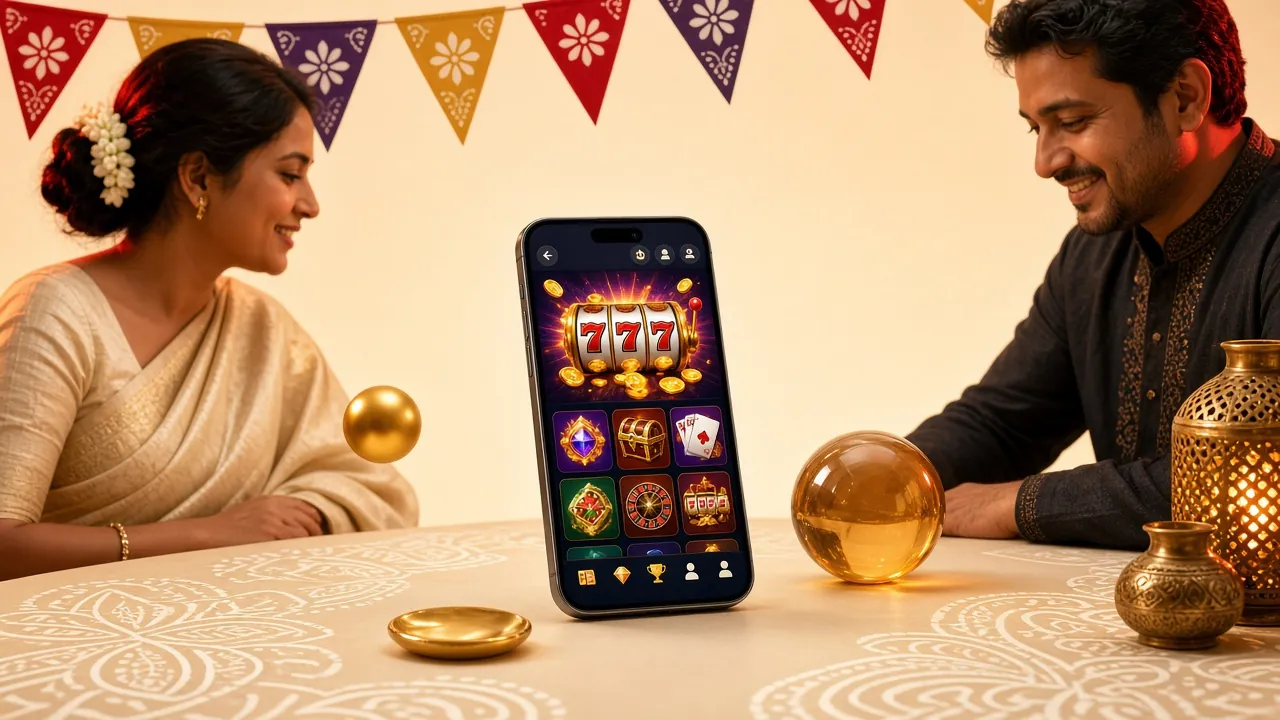
What you see after the first launch
-
Lobby first
The home tab opens on the game wall. Cricket and football sit at the top, the slot list runs underneath, and the search field finds a title by name in a few letters.
-
Cashier a tap away
Balance, deposit and withdrawal share one bottom bar. bKash, Nagad, Rocket, Upay and bank transfer live in the same screen, so you never dig through menus to add money.
-
Same account, same wallet
Bonus progress, pending wagers and KYC status match the website to the taka. Nothing needs syncing and nothing moves between devices.
-
Lighter than the browser
No tabs, no address bar, no reload when you switch back from a message. The session stays open until you log out yourself.
Point the phone camera at the code to open this page on the device you want to install on.
Six things the app handles: wallet, cashier and the lobby
-
One wallet, two doors
Your balance, bonus and wager count live on the server. Deposit on the website and the app shows the money at once. Play in the app and the desktop lobby shows the same progress. Switching device never costs you a spin.
-
A cashier built around bKash
bKash, Nagad, Rocket, Upay and bank transfer appear in one list. Deposits usually arrive in about 4 minutes, withdrawals in about 39 minutes after verification. Minimum deposit is ৳500 and minimum withdrawal ৳1,300.
-
The full lobby, 5,400 titles
Slots, fishing, lottery, card games and live tables from FA Chai, Playtech, Red Tiger, PG Soft and Pragmatic Play all load inside the app. Nothing is trimmed for the small screen. The same library is there, sorted by category, just like on the an33 casino pages.
-
Crash rounds under your thumb
Aviator runs on a shared timer, and the cash-out button sits where your thumb rests. Bets start at ৳1 with an RTP of 95.5%. Watch a few rounds on the history strip before you raise the stake.
-
Bonus tracking on the home tab
Claim the 130% first deposit bonus, up to ৳22,000, and a progress bar appears. Nine times wagering on the bonus amount, seven days to clear it, and the counter moves as you play. The expiry date sits beside it.
-
KYC with the phone camera
Photograph your National ID card, passport or driving licence and send it from the app. Review takes up to 24 hours and is required before your first withdrawal. Once approved, the badge stays and you stop uploading papers.
Two titles that suit a phone screen


Permissions: the short list, and what it never touches
The list looks longer than it is. Most of it is Android bookkeeping, not access to your data.
-
Install unknown apps
Android hides this switch behind Settings, Apps, Special app access. Allow it for Chrome or your file manager, run the install, then turn it back off. Leaving that switch on is the only real risk in the whole process.
-
Storage
The app writes the 32 MB package plus a cache of game images. It cannot read your photos or anything outside its own folder. When the phone fills up, clear the cache inside the app instead of reinstalling the file.
-
Network access
Used for the lobby, live tables, the cashier and the connection check. The app does not read SMS, contacts or call logs, and it never asks for location. Anything requesting those is not our build.
-
Payments
Deposits open inside bKash or Nagad, so your PIN is typed on their page and never passes through the app. Card details are not stored on the phone. Keep the handset's own screen lock on as a second layer.
Download from an33.lat only. Copies offered in Facebook groups or Telegram channels can carry extra code that our file does not.
Install in five steps: allow, download, open, sign in, deposit
The whole install takes a few taps once the file is on the phone. Charge the handset if the battery is low, and stay on Wi-Fi until the transfer finishes.
-
Allow the source
Open Settings, then Apps, then Special app access, then Install unknown apps. Pick Chrome or your file manager and switch "Allow from this source" on. You can turn it off again after step three.
-
Download the file
Come back to this page and tap Download APK. The file is called an33.apk and weighs 32 MB. Keep the screen awake, because a locked phone can pause the transfer halfway and leave you with a broken package.
-
Install it
Open the notification or the Downloads folder, tap an33.apk, then Install. If Play Protect shows a warning, choose Install anyway only when the file came from an33.lat and the size reads 32 MB.
-
Sign in
Open the app and use your an33 login. New here? Use an33 register to create the account and confirm your phone number first, then come back to this page for the file.
-
Fund and play
Deposit at least ৳500 through bKash or Nagad, claim the 130% first deposit bonus, then switch unknown sources back off in Settings. That last tap keeps the phone tidy for the next app you install.
On iPhone: add the site to the home screen
- Open an33.lat in Safari. Chrome on iOS cannot create home screen icons, so use Apple's browser.
- Tap the Share button in the toolbar, then scroll the sheet until you see Add to Home Screen.
- Name the shortcut an33 and tap Add. The icon appears with the rest of your apps.
- Open it from the icon. It loads full screen and keeps you signed in between sessions.
There is no iOS APK. The home screen icon is a shortcut to the mobile site, so games and the cashier behave the same, minus push notifications.
App or browser: choose by how you play
The app is not a cut-down site. It carries the same wallet, the same 5,400 games and the same cashier, arranged for one screen. The browser still wins when storage is tight or you are borrowing a phone. Here is where each one is stronger.
| What you get | Android app | Mobile browser |
|---|---|---|
| Install | One 32 MB APK, downloaded once from this page. | Nothing to install. Sign in from any phone. |
| Storage | 32 MB plus a small cache of game images. | Uses browser cache, which clears itself over time. |
| Login | Stays signed in until you log out. | Signs out when you clear browsing data. |
| Cashier | bKash, Nagad, Rocket, Upay and bank in one screen. | Same five methods, a couple of taps further in. |
| Lobby | Full 5,400 game list with a fixed bottom bar. | Full list, arranged for scrolling instead. |
| Updates | Download a new APK when the version changes. | Always current the moment you refresh. |
| Weak signal | Keeps the last lobby view on screen while it retries. | Reloads the whole page from the top. |
| Suits | Players on one phone, most days of the week. | Occasional play and shared or borrowed devices. |
When the install stalls: five faults and the fix
Most failed installs come down to a half-downloaded file or an old copy of the app. Work down this list before you contact support.
| What you see | Why it happens | What to do |
|---|---|---|
| App not installed | An older an33 build is still on the phone, signed with a different key. | Uninstall the old app, restart the handset, download an33.apk again and install clean. |
| Parse error | The download stopped early, so the package is smaller than 32 MB. | Delete the file, clear the browser cache, switch to Wi-Fi and download again. |
| No unknown apps option | Android is older than 8.0, or you are inside a work profile. | Check the version under Settings, About phone. Install from your personal profile, not the work one. |
| Download freezes past halfway | Mobile data throttling, or the screen locked during the transfer. | Move to Wi-Fi, keep the screen on, and start the download from this page again. |
| App opens then closes | Storage is full, or the Android WebView is far out of date. | Free up space, update WebView or Chrome from the Play Store, then reopen the app. |
Still stuck? Send the phone model, the Android version and the exact message you see to [email protected], or open the 24/7 live chat. Do not install a "repaired" APK from a group chat; those files are nobody's build but ours.
Straight answers: install, safety and updates
Questions
Is the an33 apk safe to install?
It is the same build we publish on an33.lat. After downloading, check two things: the file name reads an33.apk and the size reads 32 MB. A short file is a broken download, not a virus. The app asks for storage and network access only. Android warns about every sideloaded file, so the warning alone tells you nothing.
Why does Play Protect warn me about the file?
Play Protect flags any app that did not come from the Play Store, even a clean one. Open the warning, tap More details, then Install anyway. If that button is missing, the phone is set to block unknown apps outright; allow the source in Settings and try again. Never install a copy from a link someone forwarded to you.
Do I need to delete the old version first?
Only when the old copy came from a different source. Two builds signed with different keys cannot overwrite each other, and Android answers with App not installed. Uninstall the old app, restart, then install the new file. Balance, bonus progress and wagers sit on our server, so removing the app does not touch them.
Will installing the app reset my bonus progress?
No. The bonus follows the account, not the handset. If your 130% first deposit still has wagering to clear, the counter continues from the same point and the app shows the same figure as the website. Nine times wagering and the seven-day window stay exactly as they were.
How do I update to a newer build?
Watch the version row in the table on this page. When the number changes, download the APK again and install it over the old version; you stay signed in. Allow unknown sources for that one install, then switch the permission off. There are no automatic updates, so check back after a big release.
Can I install it on an iPhone?
Apple does not run APK files, so there is nothing to sideload. iPhone users open an33.lat in Safari, tap the Share icon, then Add to Home Screen. The shortcut opens full screen with its own icon and keeps you signed in. Games and the cashier behave the same; only push notifications differ.
How much data does the app use?
The download is 32 MB. After that the lobby pulls game images as you scroll, so the first session is the heaviest. Live dealer tables use more than slots. Close tables when you finish, clear the cache now and then, and keep the install itself for a Wi-Fi connection.